Best Quizlet Alternatives
What are the best Quizlet alternatives?
The best Quizlet alternatives in 2026 are Noji, Anki, Knowt, Brainscape, RemNote, Mochi, and Gizmo. All seven have a free plan. Noji is the best fit if you want flashcards with spaced repetition in a clean app that works on web, iOS, and Android, and you want to bring your Quizlet sets with you.
This comparison was last updated in November 2026. Prices and limits come from each product’s official pricing page, help center, or US App Store listing, and they can change.
Why people look for a Quizlet alternative
Quizlet is a great place to find ready-made study sets: it says it hosts more than 900 million of them. The limits show up when you study on a free account. According to Quizlet’s help center, Learn and Test are subscriber features, and non-subscribers get a limited number of Learn rounds and one practice test per flashcard set. Hiding ads and studying offline are listed as subscription benefits.
If you mostly need to memorize your own material over weeks or months, an app built around spaced repetition, with a free plan that covers daily studying, may suit you better.
Quizlet alternatives at a glance
| App | Free plan | Spaced repetition | AI flashcards |
| Noji | Yes | Yes | Yes |
| Anki | Yes (iOS app is $24.99 one-time) | Yes (FSRS or SM-2) | Not built in |
| Knowt | Yes | Yes | Yes (1 AI summary per month free) |
| Brainscape | Yes | Yes (Confidence-Based Repetition) | Yes (limited on free) |
| RemNote | Yes | Yes (SM-2 or FSRS) | Yes (250 AI credits per month free) |
| Mochi | Yes (sync needs Pro) | Yes (own algorithm or FSRS) | Limited |
| Gizmo | Yes (daily limits) | Yes (automatic) | Yes (2 imports per day free) |
1. Noji: best for studying with spaced repetition
Noji is a flashcard app built around spaced repetition. Instead of reviewing everything at once, you review each card at increasing intervals, right before you are likely to forget it. If you have an exam tomorrow, the General mode lets you go through all your cards in a row.
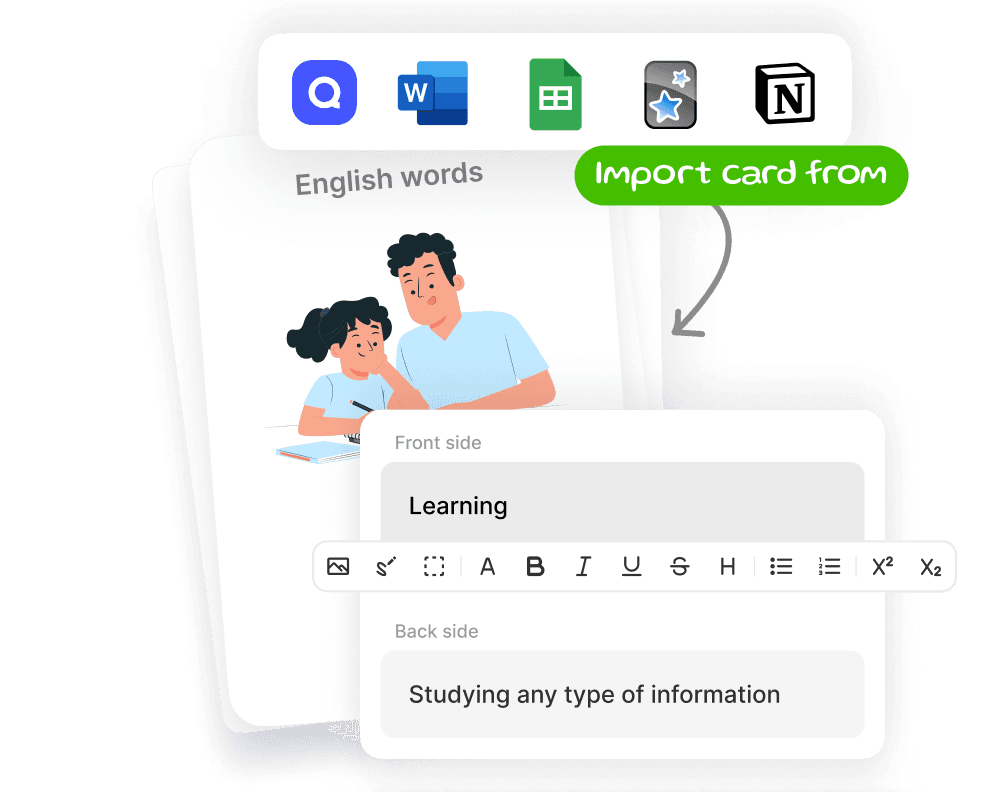
You can make flashcards by typing them, generate them with AI from documents, notes, and images, or import them from Quizlet, Anki, or a spreadsheet. Noji also has image occlusion, text-to-speech, decks you can share and edit with friends, and a library of 50K+ pre-made decks. It works offline and syncs across web, iOS, and Android.
Pricing: Noji provides a free version with all the essential features. Upgrading to the premium version unlocks additional benefits, including adding pictures and rich editing to your cards, unlimited daily learning, custom spaced repetition presets, and pronunciation mastery through auto-created audio. The free version doesn’t have ads.
Coming from Quizlet? See Noji vs Quizlet for a side-by-side comparison.
2. Anki: best for full control
Anki is a free, open-source flashcard program. It is the most configurable option on this list: you can choose between the FSRS and SM-2 scheduling algorithms, edit card templates, and install community add-ons on desktop. There is a large collection of free shared decks, and it works offline.
The trade-off is the learning curve. Anki’s interface is utilitarian, and new users often need time to learn the settings. No built-in AI card generator is documented.
Pricing: free on Windows, macOS, Linux, AnkiWeb, and Android (AnkiDroid). AnkiMobile for iOS is a $24.99 one-time purchase on the US App Store.
3. Knowt: best for free Quizlet-style study modes
Knowt presents itself as a free Quizlet alternative. Its free plan includes Learn, Practice Test, Spaced Repetition, Match, and Flashcards modes on your own sets, and you can import sets from Quizlet. AI summarizers turn PDFs, videos, and slides into notes and flashcards; the free plan includes 1 AI summary per month.
Pricing: free plan available. Ultra removes ads and makes the AI tools unlimited; at the time of writing it starts at $7.99 per month billed annually, or $24.99 billed monthly.
4. Brainscape: best for certified exam prep
Brainscape uses its own method, Confidence-Based Repetition: you rate how well you know each card from 1 to 5, and lower-rated cards come back sooner. Its strength is expert-made Certified classes for exams and professional certifications.
Pricing: the free plan lets you create unlimited flashcards and study 2,500 pre-loaded flashcards. Images and sounds on cards, reverse cards, and export need Pro, which costs $19.99 per month, or $7.99 per month billed annually ($95.88).
5. RemNote: best for notes and flashcards in one place
RemNote combines note-taking with spaced repetition flashcards: you write notes and turn parts of them into cards. It supports the SM-2 and FSRS algorithms and imports Anki decks together with their review schedules.
Pricing: the free plan includes unlimited notes and flashcards, with limits such as 3 annotated PDFs, 5 image occlusion images, and 250 AI credits per month. Pro costs $10 per month, or $8 per month billed yearly.
6. Mochi: best for Markdown fans
Mochi is a Markdown-based notes and flashcards app. You can use it for free without an account, with unlimited cards and offline use, and it imports Anki decks, Markdown, and CSV files. It uses its own scheduling algorithm by default, with FSRS as an option.
Pricing: free without sync. Syncing across devices needs Pro: $5 per month billed annually, or $6 billed monthly.
7. Gizmo: best for quick AI quizzes
Gizmo turns PDFs, YouTube videos, notes, and slides into flashcards and quizzes with its Magic Import, and you can paste a Quizlet set link to bring a set over. Studying feels like a game, with hearts and streaks, and spaced repetition runs automatically in the background.
Pricing: the free plan gives you 15 Hearts in Memorise mode and 2 Magic Imports per day. Gizmo Unlimited removes those limits; Gizmo says its price depends on your device and region.
How to move your Quizlet sets to Noji
- Open your set in Quizlet, click the 3-dot menu button, and select “Export”. If you don’t see the export button, click “Save and Edit” first.
- Copy the exported text.
- In Noji, create a deck, open the import screen, and paste your data.
You can use the same steps to bring in cards from a Google Doc or a spreadsheet.
FAQ
Is there a free alternative to Quizlet?
Yes. Noji, Anki, Knowt, Brainscape, RemNote, Mochi, and Gizmo all have free plans. Noji provides a free version with all the essential features, Anki is free on desktop, web, and Android, and Knowt’s free plan includes Learn, Practice Test, and Spaced Repetition modes.
What is the best Quizlet alternative for spaced repetition?
Noji and Anki are both built around spaced repetition. Noji is the easier one to start with: you pick a study preset and the app schedules your reviews. Anki gives you the most control over the algorithm and its settings.
Can I import my Quizlet sets into another app?
Yes. In Noji you export the set from Quizlet as text and paste it into the import screen. Knowt has an import from Quizlet option, and Gizmo lets you paste a Quizlet set link.
Does Quizlet have spaced repetition?
Yes. Quizlet added a Spaced Repetition study method to its Flashcards mode in August 2026. Its help center says the method is currently available on the website.
Comparing more broadly? See our guide to the best flashcard apps.
Import your cards from Quizlet to Noji
Start using